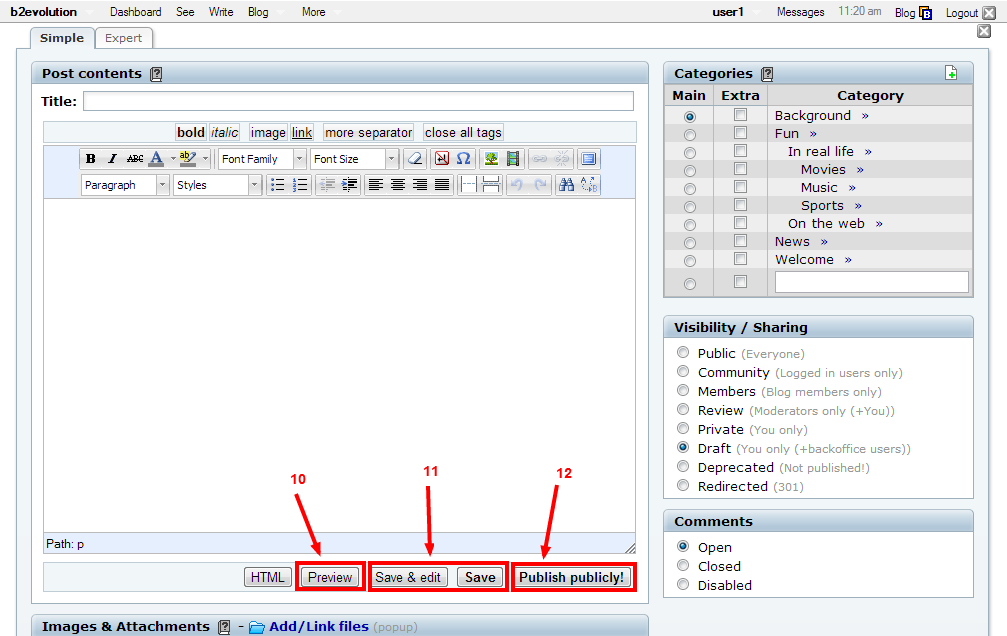
In order to add content to your site you first need to Log In, then you have multiple options:
1. You can click the "+ Post" entry in the evobar at the top of any page (See Arrow 1 below).
2. You can click the "New Post" button on the Collection Dashboard (See Arrow 2 below).
3. You can click the "+ Post" button on the All Posts View.
Using the Text Editor
Once you have a new post open, you can directly type your content into the text editor. Copying and pasting text from your desktop is also an option.
There are two different screens that you can use to edit your blog post:
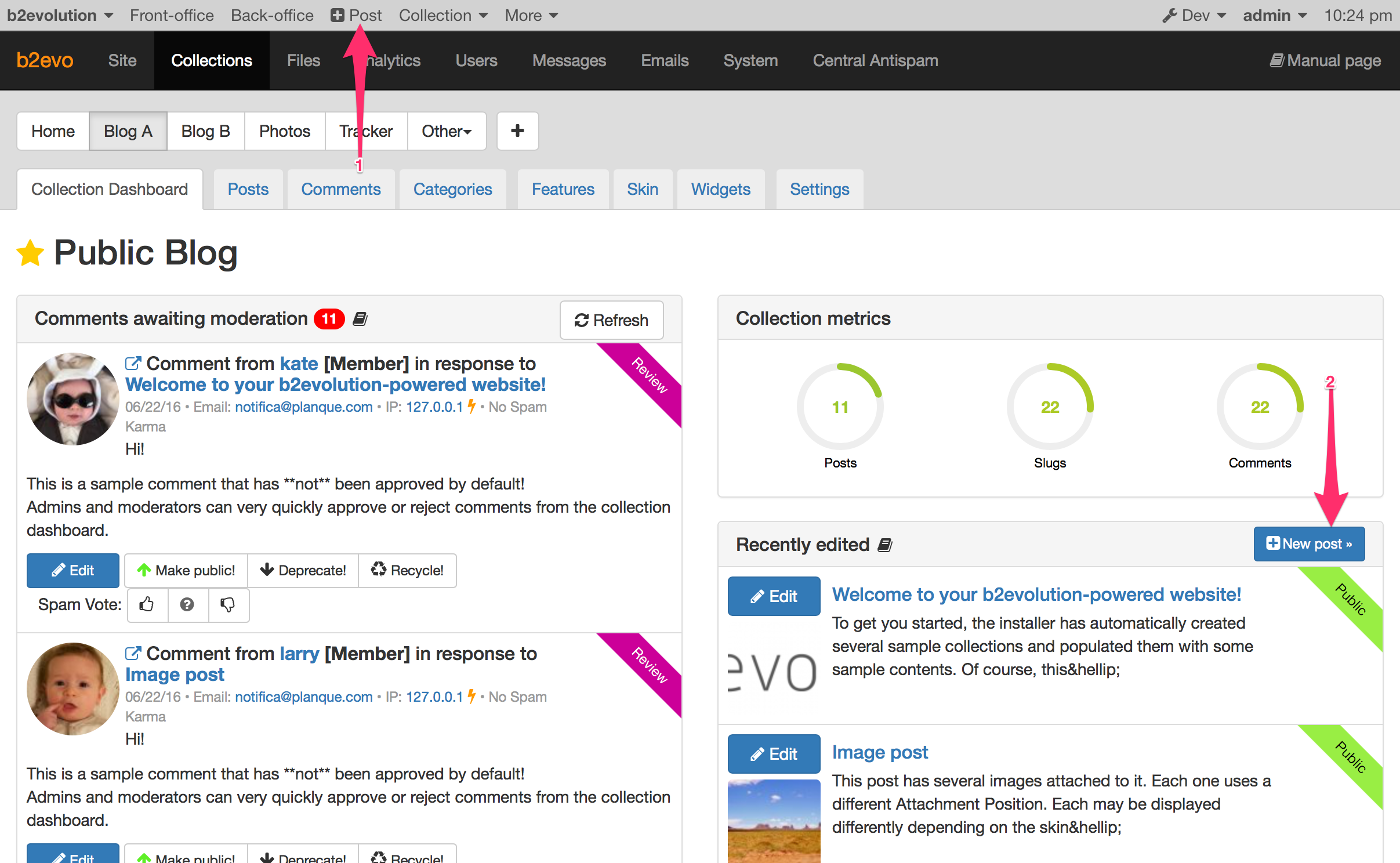
- Simple Editor: The simple editor gives you all the basic tools for uploading a post to your blog. It allows you to create lists, format text, and add hyperlinks (See Arrow 4).
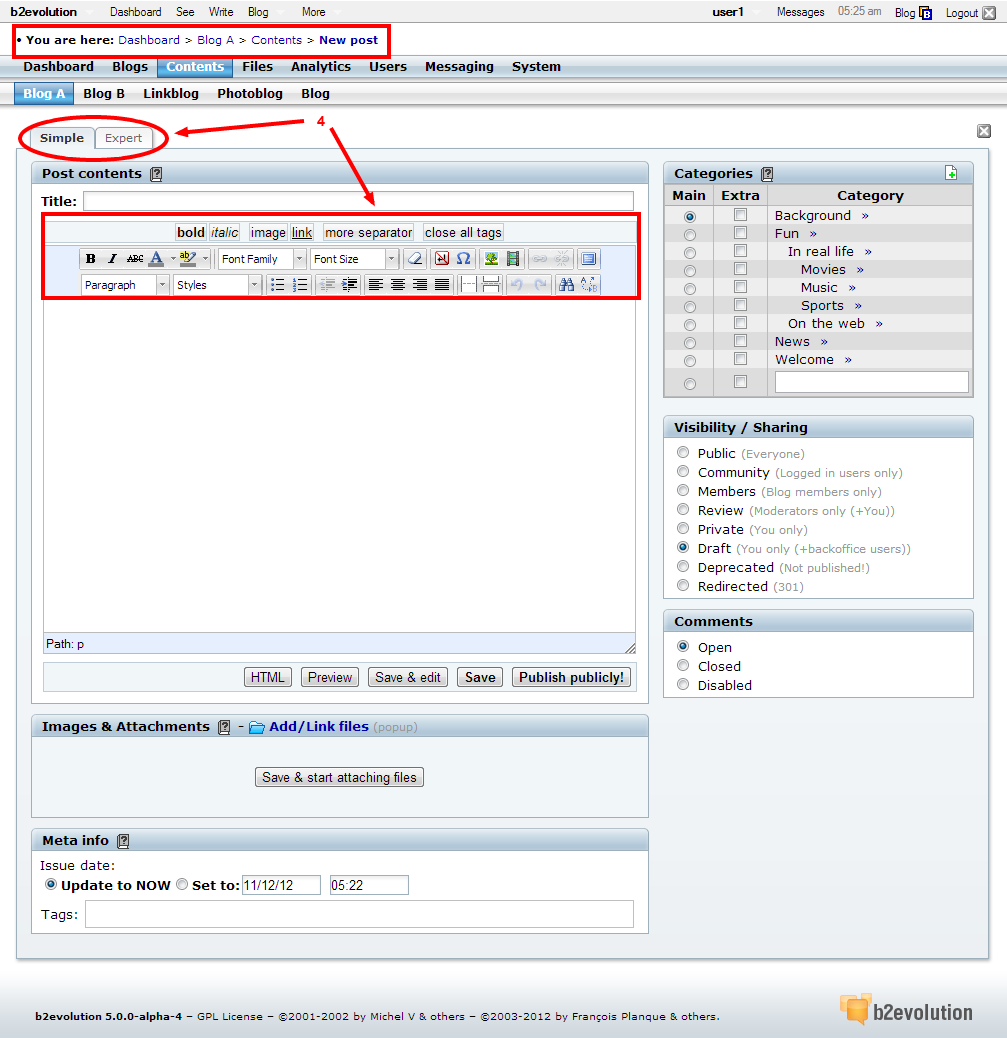
- Expert Editor: The expert editor gives you more options for customizing your post (See Arrow 5). For example, you can use tags to add additional formatting or spell check your work. The available tags are the main difference between the screens (See Arrow 6).
Additional Post Details
After writing your post, you can choose what category it displays under, who can see it, and whether or not others can comment.
Here’s a breakdown of the different options:
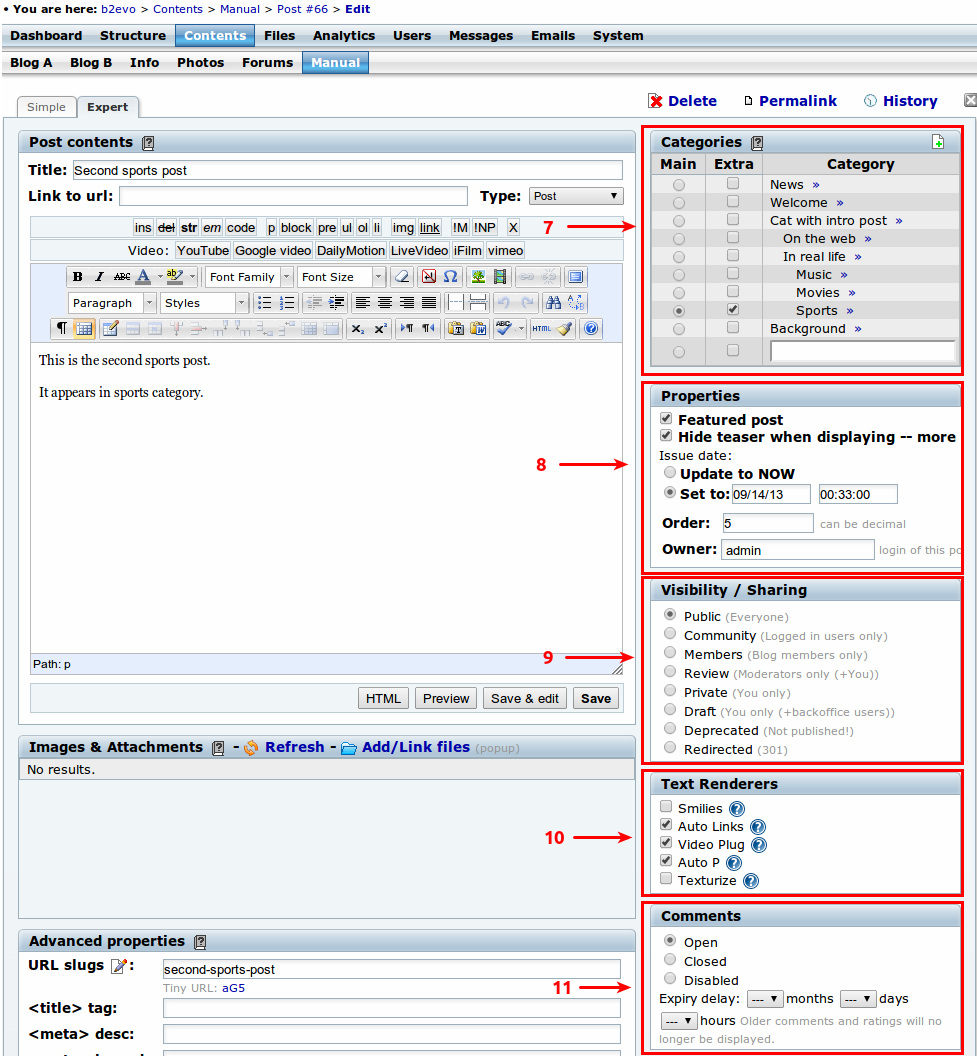
- Categories: There are both preexisting categories that you can check, and an option to create a new custom category for your post. You can create a new category by checking the box at the very bottom of the category list (See Arrow 7).
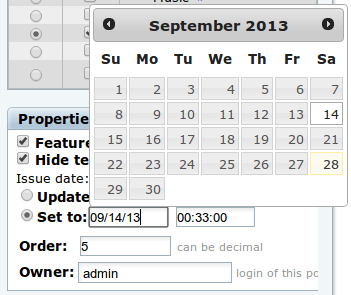
- Properties: You may set specific properties for the post, such as publishing as a "Featured post", hide teaser when displaying –more, date of the post, order and owner (See Arrow 8). This section includes a pop-up calendar to make easier the date picking.
- Visibility/Sharing: This options box allows you to choose who your post is visible to (See Arrow 9). For example, you can set the visibility to certain blog members, just yourself or keep it as a draft that you can come back to later.
- Text renderers: This options will add special characteristics to your post (See Arrow 10). More information could be found here: Renderer Plugins
- Comments: You can turn the comments section on or off by using this options box (See Arrow 11).
Publishing, Previewing and Saving Your Post
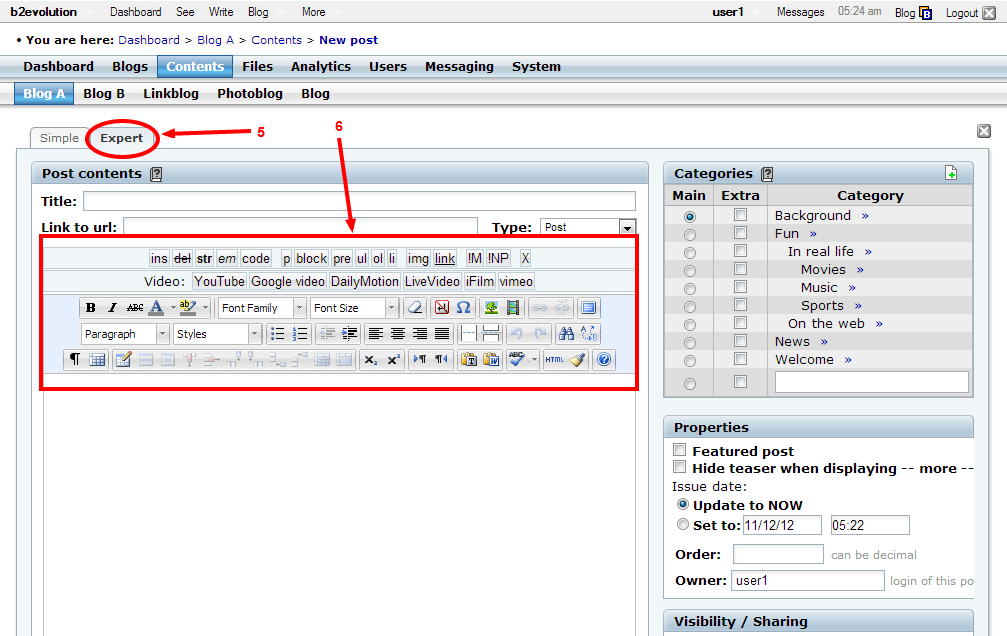
- Preview: Clicking this button will open up a preview of what your post currently looks like in a new tab.
- Save & Edit: Choosing this option will save your progress but you will still remain in the text editor.
- Save: Choosing the ‘Save’ option will take you to the saved version of your post; this opens in the same tab.