

The Smilies Plugin renders text smilies in a post such as :) into smiley images. It also provides a toolbar for the item editor to quickly and easily insert text smilies into the post.

Plugin Settings
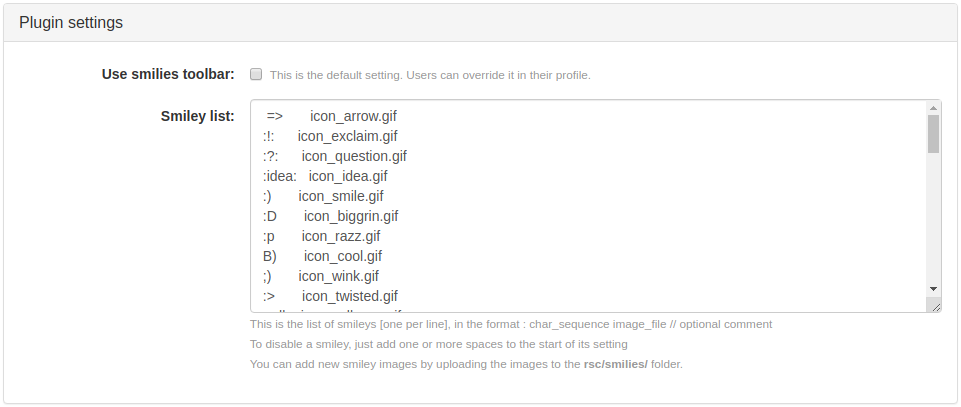
- Use smilies toolbar: check to display the smilies toolbar in the item editor. It can be overridden by users in their profile.
- Smiley list: this is the list of available text smilies that are mapped to smiley images.
Adding Smilies
You can add new smiley images by uploading the images to the rsc/smilies/ folder. You will have to edit the smilies plugin setting to include the newly uploaded images. The list of smileys (one per line) is in the following format:
char_sequence image_file // optional commentTo disable a smiley, just add one or more spaces to the start of its setting.
Per Collection Settings

This section contains two options: Apply rendering to posts and Apply rendering to comments, wherein you can choose from the drop-down menu how you wanted your smilies plugin rendered in your posts and comments.
The drop-down menu for both options contain the following choices:
- stealth
- always
- opt-out (default setting for applying rendering to comments)
- opt-in (default setting for applying rendering to posts)
- automatic
- never
For more information about the rendering options, read about it at the (plugin-apply-rendering Plugin/Apply Rendering)) page.